What you can use it for
- edit pdf
- organize pdf
- convert documents
Edit existing PDF text and check the saved file
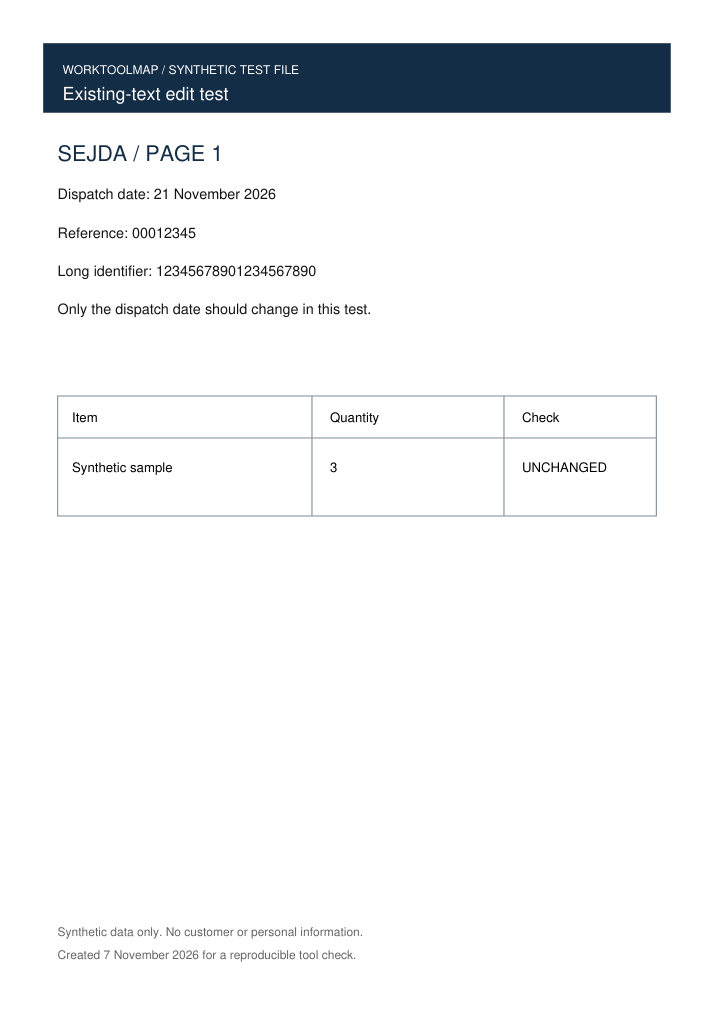
Need to correct a date in a PDF without rebuilding the document? Sejda lets you select existing text in its browser editor, change it and download the updated PDF. Try the two-page practice file below to follow the same steps.
Checked on 7 November 2026: we changed the dispatch date from 14 to 21 November in a two-page PDF with selectable text. The actual download kept both pages, all other extracted text, leading zeros and long identifiers. The untouched second page also matched the original render pixel for pixel.
A short workflow
- Open the Sejda PDF Editor linked below and upload the practice PDF, or a copy of your own document.
- Select the existing dispatch-date line and replace “14 November 2026” with “21 November 2026”. Leave the reference numbers and second page unchanged.
- Click Apply changes. When the result is ready, use Download to save the edited PDF.
- Open the downloaded file. Confirm the new date, check that 00012345 and 12345678901234567890 are intact, then inspect the second page and table.
Before you start
Does this test cover scanned PDFs?
The practice file contains selectable text. For a scanned page, first check whether you can select the text you need to edit; this test does not establish OCR editing.
Did this change existing text or add a note?
We selected the existing date line in the editor and replaced it. Text extracted from the downloaded PDF contained the new date and no longer contained the old date.
Was an account or payment needed?
Neither was needed for this small browser test. Check Sejda’s current limits before starting a larger job.
Notes based on evidence checked .
Before you choose
Use a copy of your PDF and check the downloaded date, numbers and untouched pages before sending it on. The linked sample makes the same edit easy to try.
About this listing
Official sources reviewed on . The test notes below describe the scope of our check.
Test notes
On 7 November 2026 we edited one existing date in a synthetic two-page PDF and downloaded the result from Sejda. Independent checks confirmed the intended replacement, all remaining text, page size and rotation. The untouched second page was pixel-identical at 1.5x rendering. Both output pages were visually reviewed. This check covers this selectable-text sample; it does not establish scanned-PDF OCR or every editing feature.
Features and plans change. If something here is out of date, suggest a correction.