Compare two lists
Compare a guest list with your RSVPs. Put invited names in A and replies in B, then open Only in A to see who still needs a reminder.
See the steps, results & sample filesWhat you can use it for
- List comparison
Find missing, shared and repeated values
Paste two lists or pick a column from each spreadsheet. See which names or IDs appear on just one side and which appear on both.
Copy just the group you need, or download all three groups together as an Excel workbook.
A short workflow
- Select one identifying column per file or paste one value per line.
- Choose whitespace and case rules before comparing; check the preview and duplicate groups.
- Inspect the source rows for surprises, then verify the complete downloaded results.
Before you start
Where did a missing or repeated ID come from?
Expand the value in the results to see its original line, CSV record or spreadsheet cell.
How do I compare IDs with leading zeros?
Keep IDs as text in the source file. The text values 00123 and 123 will appear as separate IDs.
Notes based on evidence checked .
Working with your files
For codes such as 00123, keep the source column as text. Choose whether letter case and outer spaces should count as differences.
Try the sample lists
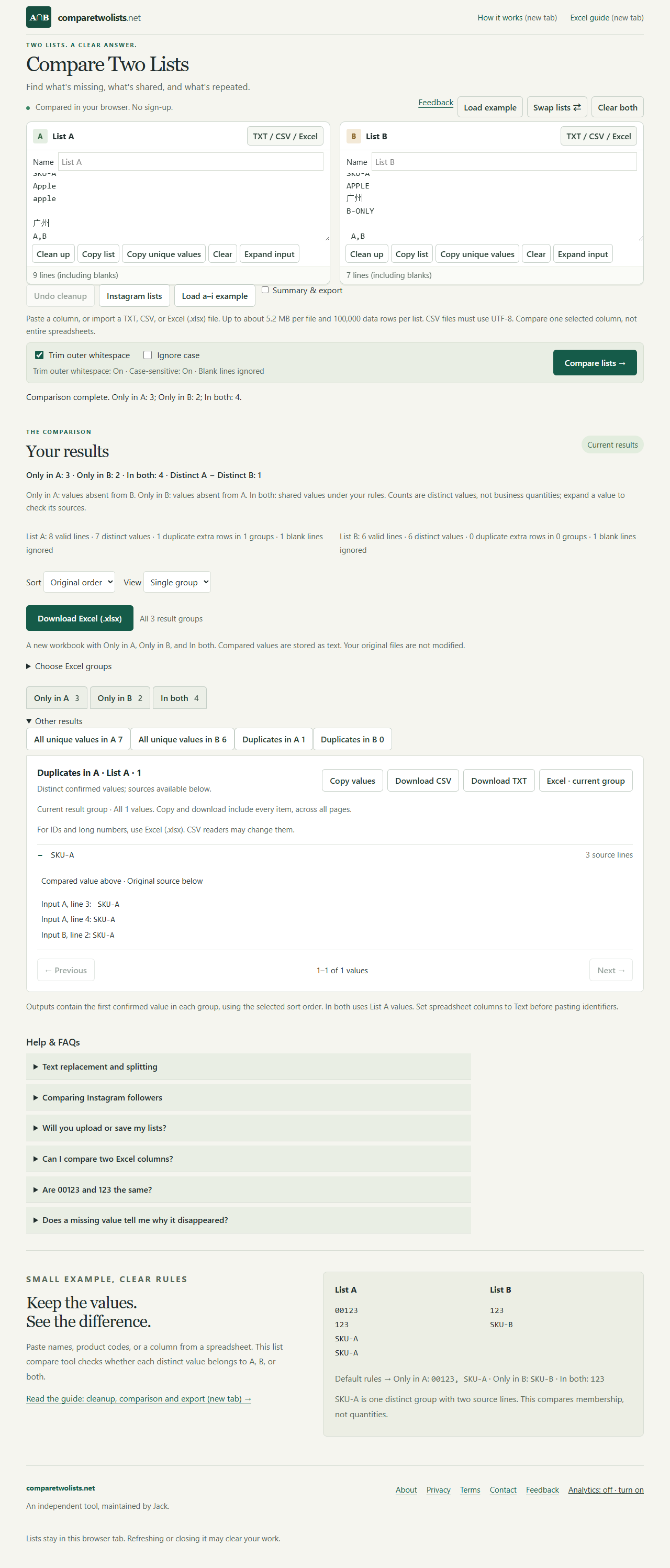
With the default rules, the sample gives 3 values only in A, 2 only in B and 4 in both. Select the ID column in the CSV or Excel sample to get the same groups.
Try the sample files
Compare the sample lists with your own results. The download includes two lists, their matching rules and the expected values in each group.
Features and plans change. If something here is out of date, suggest a correction.